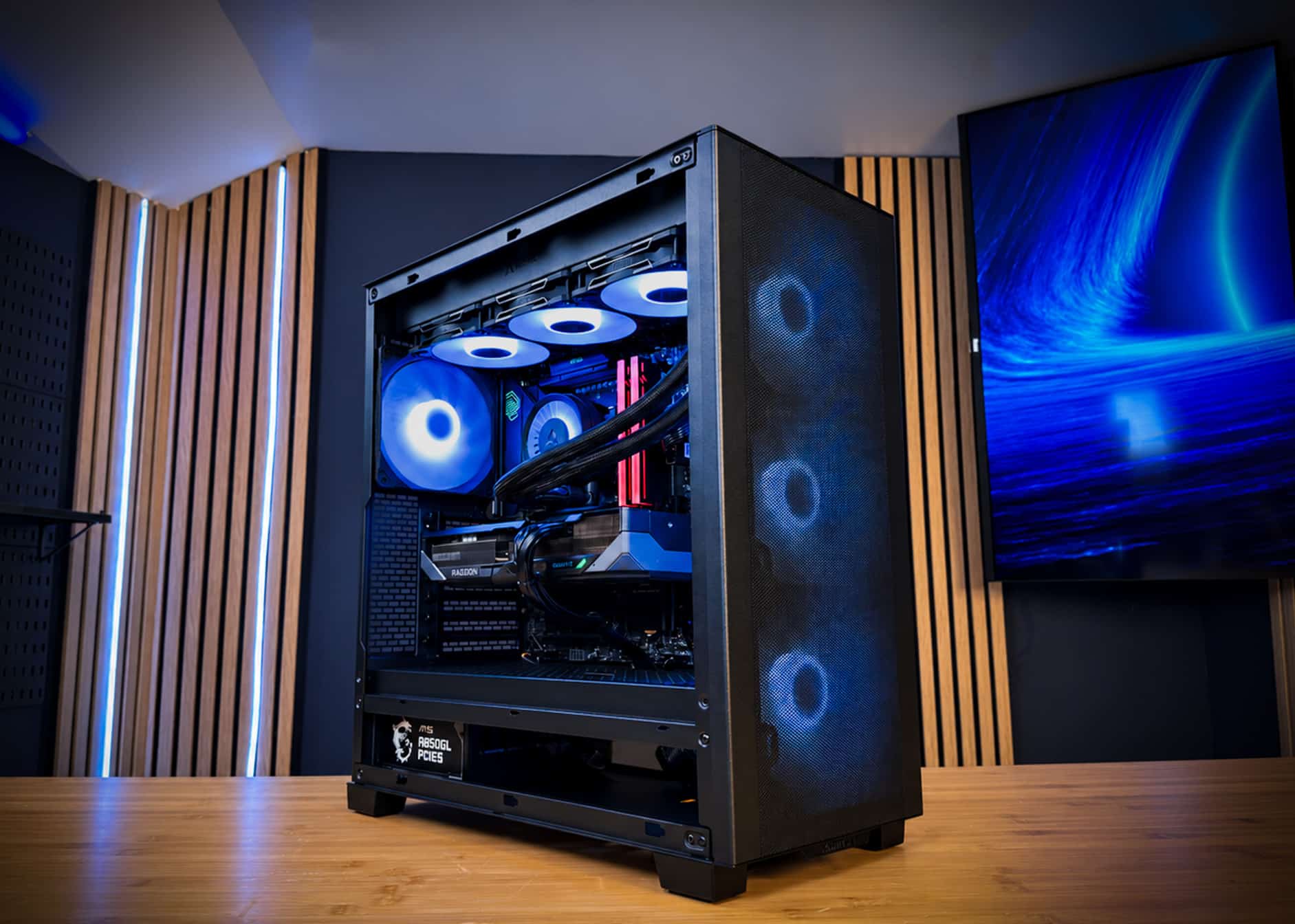
Yes, you can usually put an RX 9070 XT in an older PC, as long as three things check out. You need a quality power supply of at least 750W, a CPU fast enough to keep a 304W, 16GB card busy, and a motherboard that boots in UEFI mode. The card runs fine in a PCIe 3.0 or 4.0 x16 slot. The short version: a Ryzen 5000 or Intel 12th gen system with a decent PSU is a good upgrade candidate. A Ryzen 2000 or Intel 8th gen system usually is not. With RX 9070 XT prices around $700 to $1,000 in fall 2026, run these checks before you buy.

What should you check before upgrading?
Check five things: power supply, CPU, PCIe slot and BIOS mode, case clearance, and connectors.
The RX 9070 XT launched at $599 with 16GB of GDDR6 and FSR 4 support. It is a big card that draws real power. Older systems were often built around 150W to 220W GPUs, so the upgrade can expose weak links that never mattered before.
| Check | Minimum to pass | Comfortable target | Red flag |
|---|---|---|---|
| Power supply | 750W, 80+ Gold, quality brand | 850W ATX 3.1 | Under 650W or unbranded |
| CPU | Ryzen 5 5600X / Core i5-12400 | Ryzen 7 9800X3D | 4-core or pre-2018 chips |
| PCIe slot | PCIe 3.0 x16 | PCIe 4.0 or 5.0 x16 | x4 electrical slot |
| BIOS | UEFI boot, CSM off | Resizable BAR on | Legacy-only firmware |
| Case | Fits a ~300mm, 3-slot card | 340mm+ clearance | Drives or radiator in the way |
| Memory | 16GB dual-channel | 32GB | Single 8GB stick |
Is your power supply strong enough?
For most upgrades, a quality 750W unit is the minimum, and 850W is the safer choice.
The RX 9070 XT is rated at 304W of board power. Factory-overclocked models can draw more. Add a 105W to 150W CPU, fans, drives and transient spikes, and an old 550W or 650W supply runs out of headroom fast.
What to look for on the label
- Wattage: 750W or higher from a known brand.
- Efficiency: 80+ Gold or better. Bronze units from 2016 may have aged capacitors.
- Cables: enough separate PCIe 8-pin cables for your card. Many RX 9070 XT models need two or three.
- 12V-2×6: some RX 9070 XT models use this 16-pin plug. Use a native cable from an ATX 3.1 supply if so.
- Age: a supply older than about seven years is worth replacing with the GPU.
Avoid daisy-chaining one PCIe cable into two plugs on a high-draw card. Use separate cables where you can. If your card uses 12V-2×6, read our guide to the melting connector problem for safe installation habits. For sizing help, see what power supply you need.
An aging 550W or 650W supply is the most common reason an RX 9070 XT upgrade fails. Budget for a new 850W 80+ Gold unit if yours is old, small or short on PCIe cables.
Will your CPU hold back an RX 9070 XT?
A CPU from 2020 or later usually keeps up at 1440p, while older six-core and quad-core chips leave noticeable performance unused.
A GPU can only render frames as fast as the CPU prepares them. At 4K the graphics card does most of the work, so older CPUs hide better. At 1080p and 1440p, especially in esports and open-world games, the CPU sets the ceiling.
Rough CPU tiers for this card
- Good match: Ryzen 7 9800X3D, Ryzen 7 7800X3D, Ryzen 7 5800X3D, Core i5-13600K and newer.
- Workable: Ryzen 5 5600X, Ryzen 7 5700X, Core i5-12400 and Core i5-12600K.
- Noticeable bottleneck: Ryzen 5 3600, Ryzen 7 2700X, Core i7-8700K, Core i5-9600K.
- Not worth it: quad-core chips such as the Core i5-7600K or Ryzen 5 1400.
Some AM4 owners can drop in a Ryzen 7 5800X3D after a BIOS update. That is often the cheapest way to fix a CPU limit. Intel owners on 8th to 10th gen chips have no strong upgrade path on the same board.
A fast GPU in a slow platform does not make a fast PC. It makes an expensive GPU that waits on the processor.
Does PCIe version or BIOS mode matter?
PCIe version matters little, but BIOS mode matters a lot, because legacy boot can leave you with a black screen.
The RX 9070 XT is a PCIe 5.0 x16 card. It is backward compatible with PCIe 4.0 and PCIe 3.0 slots. A PCIe 3.0 x16 slot costs only a small amount of performance in most games. Avoid lower slots wired as x4, which can cost much more.
Firmware is the bigger trap. Modern AMD cards expect UEFI boot. Systems installed in legacy or CSM mode may not show a picture after the swap. Convert the Windows drive to GPT and switch to UEFI before the upgrade, not after.
BIOS settings to change
- Update the motherboard BIOS to the latest version.
- Disable CSM and confirm Windows boots in UEFI mode.
- Enable Above 4G Decoding and Resizable BAR (AMD calls it Smart Access Memory).
- Resizable BAR generally needs Ryzen 3000 or newer, or Intel 10th gen or newer, plus a supporting board.
Will the card physically fit?
Measure first, because many RX 9070 XT models are roughly 300mm long and take up three slots.
Measure from the rear slot bracket to the nearest obstruction at the front. Front radiators, drive cages and fans all eat into that space. Also check thickness: a 3-slot card can cover a second M.2 slot or block a front-panel header.
Airflow matters too. A 304W card dumps a lot of heat into the case. Older cases with a solid front panel and one exhaust fan can push GPU temperatures up and fan noise with them. Two front intakes and one rear exhaust are a practical minimum.
If your CPU, PSU and case all pass, the RX 9070 XT is a strong drop-in upgrade. If two or more fail, you are really shopping for a new PC.
Is upgrading cheaper than buying a new PC?
Upgrading wins when only the GPU changes, but a full platform swap in late 2026 costs close to a complete system.
The memory shortage is the reason. AI data centers are buying DRAM years ahead, and a 32GB DDR5-6000 kit cost about $450 in November 2026, per Tom’s Hardware. That same kit was well under $150 in 2025. Moving an old Intel 8th gen or Ryzen 2000 system to AM5 means buying DDR5 at those prices. Our DDR5 price breakdown explains why.
- GPU RX 9070 XT 16GB (~$700–$1,000)
- Power 850W 80+ Gold, only if needed (~$100–$150)
- Keep Existing Ryzen 5000 or Intel 12th gen platform
- CPU Ryzen 7 9800X3D (~$450–$500)
- Motherboard B850 board (~$200–$300)
- Memory 32GB DDR5-6000 (~$450–$550)
- GPU RX 9070 XT 16GB (~$700–$1,000)
- Power 850W 80+ Gold (~$100–$150)
- Plus Likely cooler, case and Windows license
The platform swap lands within a few hundred dollars of a complete, tested system once you add a cooler, case and storage. You also do the assembly, BIOS work and troubleshooting yourself. Our 2026 build cost guide has the full math, and the 1440p specs guide shows where the RX 9070 XT fits. Curious about 4K? Read whether the RX 9070 XT is good for 4K.
Looking for a gaming PC?
If your old system fails two or more checks, OCEAN skips the guesswork. It pairs the RX 9070 XT with a Ryzen 7 9800X3D, so the CPU never holds the card back. It also has an 850W 80+ Gold supply, 32GB of DDR5-6000 and a 360mm liquid cooler in a case with room to breathe.
- CPU AMD Ryzen 7 9800X3D
- GPU Gigabyte Radeon RX 9070 XT 16GB GAMING OC
- Motherboard MSI MAG B850 TOMAHAWK MAX WIFI
- Memory Lexar THOR Z OC 32GB DDR5-6000
- Storage Kingston NV3 2TB NVMe
- Cooling ARCTIC Liquid Freezer III Pro A-RGB 360
- Case Phanteks XT PRO ULTRA
- Power MSI MAG A850GL 850W 80+ Gold
- OS Windows 11 Pro
OCEAN ships within 5–7 business days. Each one is hand-assembled in Jersey City, cable-managed and burn-in tested for 48 hours under full load before shipping. It uses standard retail parts, so it stays upgradeable. You get a 3-year parts warranty, lifetime support and fully insured shipping to all 50 states. Affirm financing offers 0% APR options for qualified buyers.
Need a different spec, like an RTX 5080 or RTX 5090 build? Tell us on the request form and you’ll get a parts plan and quote within 24 hours. GPU street prices change daily, so availability and price are confirmed in the quote. Or browse all of our prebuilt gaming PCs.
Frequently asked questions
What power supply do I need for an RX 9070 XT?
The RX 9070 XT draws 304W of board power. A quality 750W unit is a sensible floor, and 850W gives comfortable headroom with a high-end CPU. Check that the supply has enough separate PCIe power cables, or a native 12V-2×6 cable if your card uses that connector.
Will an RX 9070 XT work in a PCIe 3.0 slot?
Yes. The RX 9070 XT is a PCIe 5.0 card, and PCIe is backward compatible. It runs in a PCIe 4.0 or 3.0 x16 slot. You may lose a small amount of performance on PCIe 3.0, but the CPU paired with that older board is usually the bigger limit.
Which CPU is too old for an RX 9070 XT?
Six-core chips such as the Ryzen 5 3600 or Intel Core i5-9600K will run the card but hold it back noticeably at 1080p and 1440p. A Ryzen 7 5800X3D or Core i5-12600K class chip is a reasonable minimum. The Ryzen 7 9800X3D lets the card run without a CPU ceiling.
Do I need to reinstall Windows when swapping to an AMD GPU?
No full reinstall is needed. Uninstall the old graphics driver, ideally with a clean-up tool in safe mode, then install the latest AMD Adrenalin driver. Also confirm your system boots in UEFI mode with CSM disabled, and turn on Resizable BAR in the BIOS if your board supports it.
Is it cheaper to upgrade or buy a new gaming PC?
If only the graphics card needs replacing, upgrading is cheaper. If you also need a new CPU, motherboard, DDR5 memory and power supply, the parts cost in late 2026 approaches a complete new system. At that point, a tested prebuilt with a warranty is often the better value.


